


Free cloud server, online for 15 minutes
Launch a real virtual server straight from your browser — no registration. Use it to test code, learn Linux, try Windows Server or run a quick benchmark. When the 15-minute timer ends, the server and all data are wiped automatically.
- 4 vCPUAMD EPYC
- 8 GBRAM
- 60 GBNVMe SSD
- 1 Gbpsnetwork
The terminal above is a live virtual machine. Pick Debian 11 or Windows Server 2012 R2 and start typing — it works on phones and desktops alike.
What is a free server?
A free server is a fully working cloud computer (a VPS — Virtual Private Server) that you can use without paying or signing up. Unlike a shared sandbox, you get root/administrator access to a genuine isolated machine running on enterprise AMD EPYC hardware, with its own CPU, memory, disk and network.
The only catch is time: the server is temporary. It lives for 15 minutes so anyone can try it instantly and safely, then it is destroyed together with everything on it. That makes it perfect for quick experiments — and means you never have to worry about cleaning up or leaving something running.
Pick your operating system
Boot a full Linux or Windows machine in a single click — here's exactly what each one looks like:
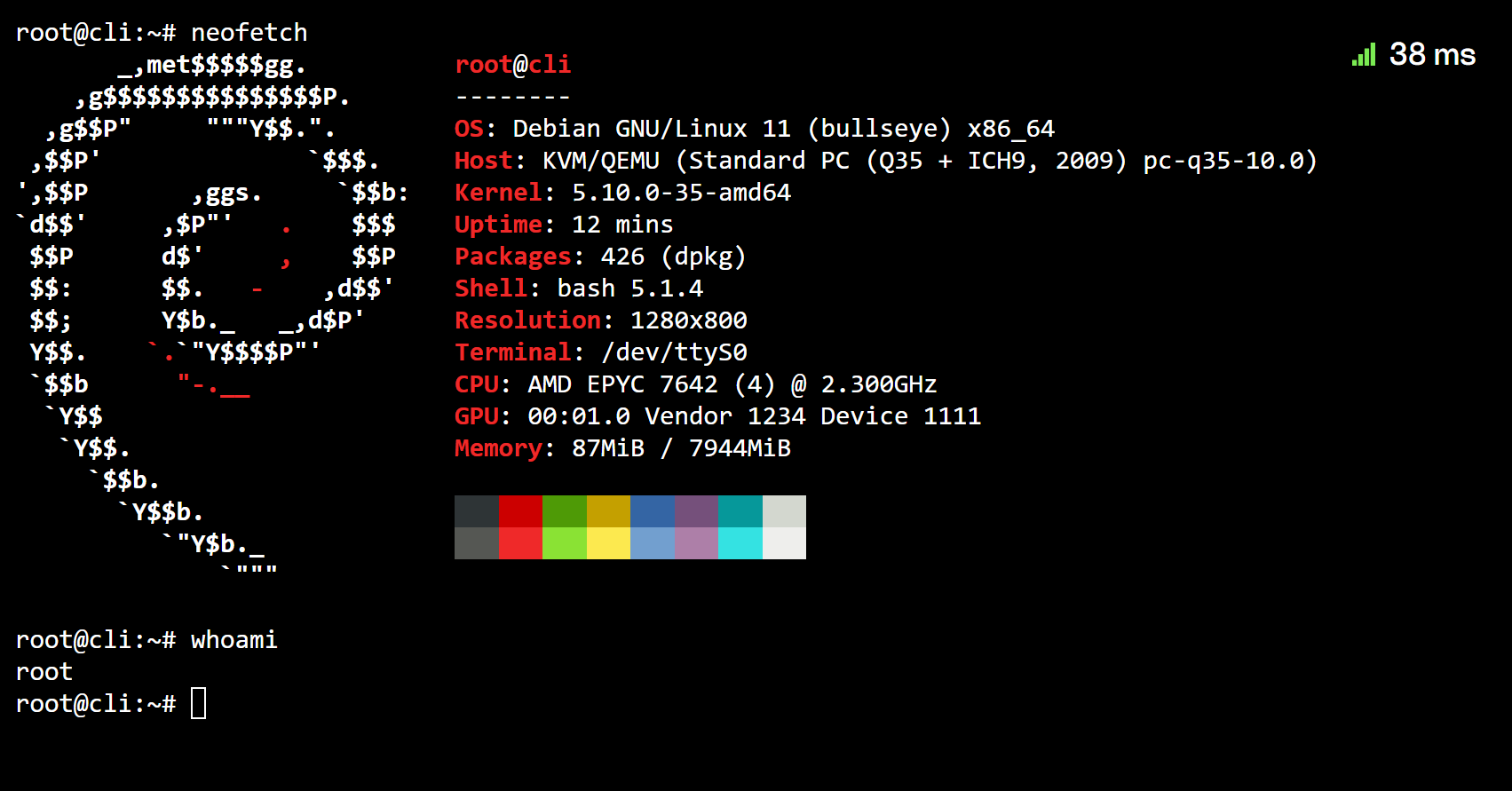
Debian 11 — Linux
A clean root shell with bash, apt and the full GNU toolset. Ideal for scripts, SSH practice, builds, networking checks and benchmarks.
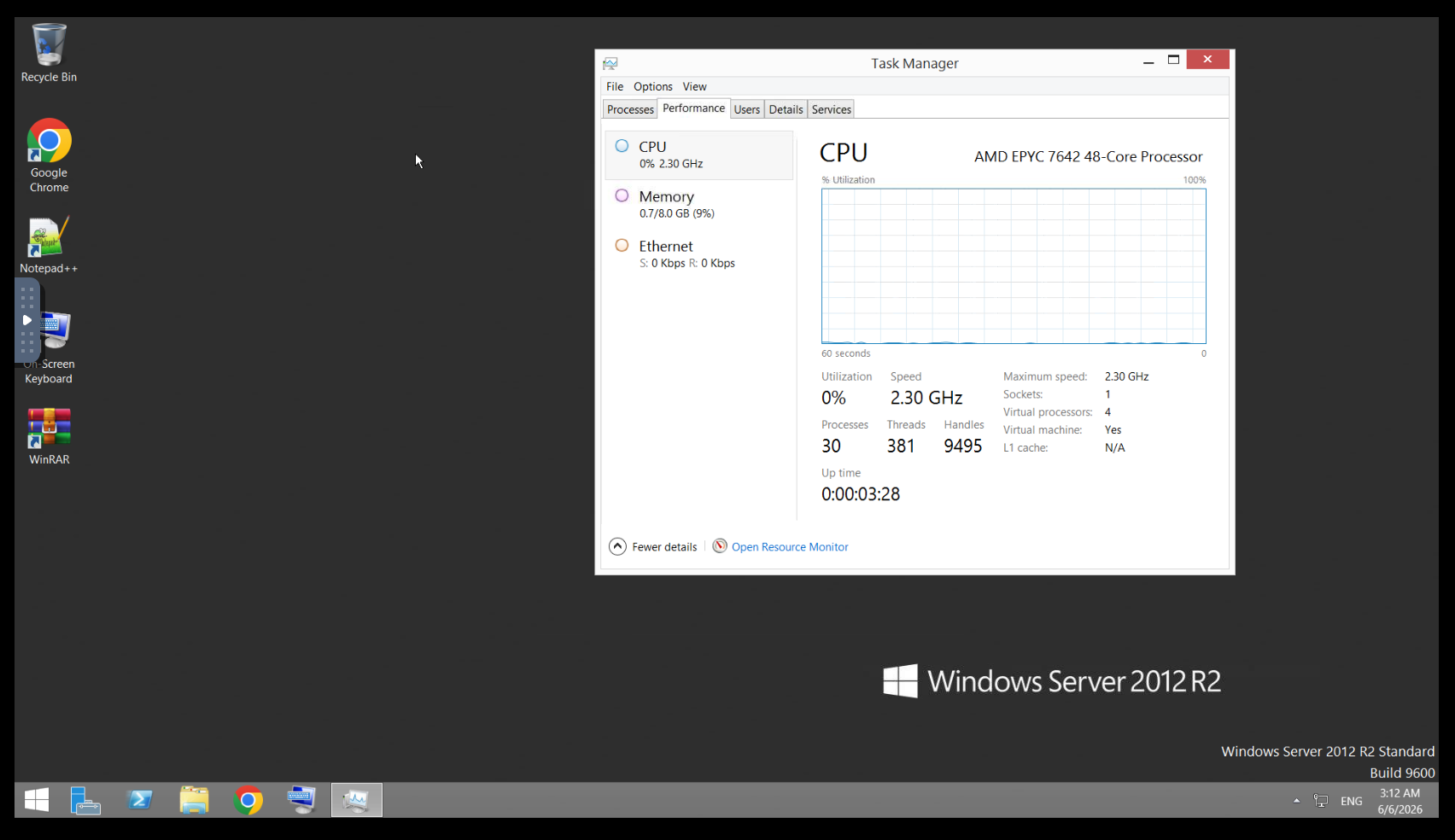
Windows Server 2012 R2
A full graphical desktop streamed over VNC — open Task Manager, install software or test RDP behaviour in seconds, mouse and keyboard included.
What can you use it for?
A few popular ways people use the free server every day:
-
Test code & scripts
Run a bash script, install a package, try a one-liner or check that your deployment commands work — on a clean machine that resets every time.
-
Learn Linux & SSH
Practice real terminal commands, file permissions, package managers and services in a safe Debian environment. Break things freely — it's gone in 15 minutes.
-
Try Windows Server
Open a Windows Server 2012 R2 desktop to check software, RDP behaviour or a quick admin task without spinning up your own licence.
-
Benchmark & speed-test
Measure CPU, disk and network performance of real AMD EPYC hardware before you commit to a paid plan.
-
Check network & routing
Run ping, traceroute, curl or dig from a European datacenter to debug connectivity, DNS and GeoIP from a fresh, neutral IP address.
-
Demos & teaching
Show a command, a tool or a class exercise live — embed the terminal in your own page so students follow along in their browser.
How it works
- 1
Open the terminal
A real virtual machine boots instantly in the window above — no account, no download.
- 2
Pick your OS
Choose Debian 11 for Linux or Windows Server 2012 R2, then start working right away.
- 3
Use it for 15 minutes
When the timer ends the server is wiped automatically. Need another? Just start again.
Free server FAQ
Is the server really free?
Yes — completely free, with no registration, no credit card and no hidden limits. It runs for 15 minutes and is then deleted automatically.
How long does the free server last?
Each session lasts 15 minutes. When the timer ends, the virtual machine and all of its data are wiped automatically. You can start a new one whenever you like.
Which operating systems are available?
You can choose Debian 11 (Linux) or Windows Server 2012 R2. Both run on real AMD EPYC hardware with 4 vCPU, 8 GB RAM, 60 GB SSD and 1 Gbps networking.
Do I need to install anything?
No. The server runs in your browser through an online terminal. There is nothing to download or install — just open the page and start typing.
What is not allowed on the free server?
To keep the service fast and abuse-free, the following are strictly prohibited: cryptocurrency mining; DDoS or any other attack traffic; sending, relaying or bulk-mailing email (spam); and unauthorised scanning of networks, hosts or ports. Any abuse results in the server being shut down immediately.
Can I keep the server for longer?
The free server is meant for quick testing. If you need a permanent VPS, you can order a server on h2.nexus and have it ready in about five minutes.
Optimized Windows servers
Spin up tuned, ready-to-use Windows RDP machines and manage them — straight from your phone.
 Launch bot